
Texto
PredeterminadoAny3D.cc
El contenido de texto que se va a convertir en un modelo 3D. Se admite texto de varias líneas.
Convierte texto en letras 3D con color para GLB, ideal para web y AR.
Por favor, espera
Crea texto 3D con colores de material básicos y expórtalo como un único archivo GLB. Sirve para la web, para Quick Look o Scene Viewer en móviles, y para Blender o Three.js. Si necesitas imprimir en 3D, usa la herramienta de texto a STL.
PredeterminadoAny3D.cc
El contenido de texto que se va a convertir en un modelo 3D. Se admite texto de varias líneas.
PredeterminadoOswald (Display negrita)
La tipografía usada para generar la geometría 3D del texto. Cada fuente produce distintos grosores de trazo y formas de carácter.
Sans condensada para rótulos con trazos fuertes, ideal para títulos e impresión 3D.
Sans moderna y neutra para texto corrido legible y etiquetas de interfaz.
Serif clásica para insignias premium, placas y etiquetas de tradición.
Monoespaciada para dimensiones, SKU y anotaciones técnicas.
Sans que cubre glifos de chino simplificado, japonés y coreano.
Sans que cubre la escritura árabe con un grosor de trazo listo para imprimir.
Predeterminado30
Rango5 – 100
La anchura total de la geometría del texto en milímetros.
Predeterminado6
Rango2 – 50
La altura total de la geometría del texto en milímetros.
Predeterminado3
Rango0.5 – 20 · step 0.5
La profundidad de extrusión del texto en milímetros. Controla cuánto sobresale el texto.
Bloquea las tres dimensiones para escalar de forma proporcional y mantener la relación de aspecto.
PredeterminadoActivado
Mantiene fija la relación anchura-altura al cambiar el tamaño.
PredeterminadoVertical
Elige si el texto queda en vertical o tumbado para la impresión 3D.
El texto se eleva desde la placa de impresión. Ideal para placas de identificación y carteles.
La geometría del texto queda plana. Útil para diseños de incrustación e insignias planas.
Predeterminado0
Rango-50 – 50 · step 0.5
Mueve la geometría del texto a izquierda o derecha en el eje X.
Predeterminado0
Rango-20 – 50 · step 0.5
Mueve la geometría del texto arriba o abajo en el eje Y.
Predeterminado0
Rango-20 – 20 · step 0.5
Mueve la geometría del texto hacia delante o hacia atrás en el eje Z.
Predeterminado0.5
Rango0 – 3 · step 0.1
Controla cuánto se redondean los bordes del texto. Añade un acabado pulido, pero aumenta el número de caras.
Predeterminado3
Rango1 – 8
El número de segmentos usados para crear la curva del bisel. Más segmentos producen biseles más suaves a costa de más geometría.
Predeterminado2
Rango0.5 – 20 · step 0.5
El grosor de la placa base bajo el texto. Una base más gruesa aporta más estabilidad y mantiene las letras unidas.
Predeterminado2
Rango0 – 20 · step 0.5
Margen horizontal adicional alrededor del texto en la placa base.
Predeterminado2
Rango0 – 20 · step 0.5
Margen vertical adicional alrededor del texto en la placa base.
PredeterminadoDesactivado
Indica si se redondean los bordes de la placa base.
Predeterminado0.3
Rango0.1 – 3 · step 0.1
El radio del redondeo de las esquinas de la placa base.
Predeterminado2
Rango1 – 8
El número de segmentos de la curva del bisel de la placa base.
Predeterminado#3b82f6
El color de la geometría extruida del texto. En 3MF y GLB, este color se conserva en el archivo de salida.
Predeterminado#9ca3af
El color de la placa base. Solo se conserva en los formatos de salida 3MF y GLB.
Escribe el texto que quieres convertir en un modelo 3D. Admite varias líneas.
Elige una fuente, ajusta tamaño, profundidad de extrusión, bisel y base opcional. Los colores se previsualizan en vivo.
Descarga el modelo de un solo archivo GLB listo para usar.
El GLB incluye color y es adecuado para pantalla y AR. El STL solo contiene geometría, por lo que es el formato indicado para impresión 3D.
Sí. GLB es el formato estándar de iOS Quick Look y Android Scene Viewer. El archivo exportado se abre directamente en visores de AR y también se puede integrar en una página web, sin necesidad de conversiones adicionales.
El modelo generado lleva colores de material, pero no texturas complejas. Si quieres añadirlas, puedes hacerlo en Blender u otro editor 3D después de importar el archivo.
No. Esta herramienta extruye los caracteres que escribes como una única malla de texto 3D. No es un generador de escenas por IA y no crea objetos a partir de una descripción libre. Para obtener varios objetos, genera cada pieza por separado y combínalas en un editor como Blender.
No. El texto se genera sobre una línea recta y admite varias líneas, pero no permite composiciones curvas o arqueadas. Si necesitas texto curvo, genera las letras rectas y dóblalas o colócalas en un editor 3D como Blender.
El texto y la base se guardan como dos nodos separados, cada uno con su propio color de material. Los colores que elijas quedan incluidos en el archivo. Al importarlo en Blender, Three.js u otras herramientas glTF, puedes cambiar el color o añadir texturas a cada parte por separado.
Sí, las funciones principales de Any3D son gratuitas para siempre. Ofrecemos conversión de formatos, optimización de modelos y vista previa en línea sin coste y sin registro.
No. Los archivos que selecciona se procesan solo en su navegador en este dispositivo: no salen de su dispositivo ni se envían a nuestros servidores. No almacenamos archivos de usuarios; tras el procesamiento, los datos relacionados en la memoria del navegador se liberan.
No hace falta instalar nada. Any3D funciona íntegramente en el navegador: solo abre la página web para usar todas las funciones. Funciona en Windows, Mac, Linux y otros sistemas operativos principales.
La capacidad de procesamiento depende del rendimiento de su dispositivo y de la cantidad de vértices y la complejidad de texturas del modelo, no solo del tamaño del archivo. No imponemos ningún límite de tamaño, pero cuando un modelo supera lo que su dispositivo puede manejar, la página puede ralentizarse o incluso bloquearse.
Pasa un modelo PBR de 50 MB por todo el flujo: Blender, compresión de vértices, texturas KTX2 y carga en el motor, hasta bajarlo a 5 MB. Con scripts y hoja de referencia.
Tu archivo GLB de 10 MB puede consumir 200 MB de VRAM en el móvil y colapsar. Vamos a desmenuzar el problema y a ver por qué el tamaño en disco engaña tanto.
¿Cuántos bytes ocupan realmente los datos de vértices? ¿Cuándo conviene usar cuantización, MeshOpt o Draco? No es «Draco es lo mejor», sino «cada escenario tiene su solución óptima».
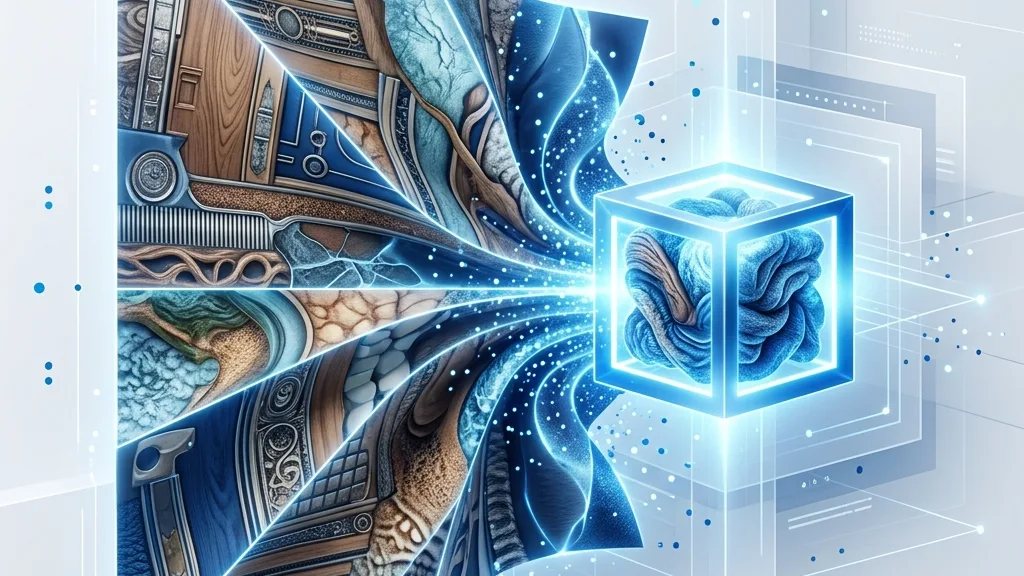
¿ETC1S o UASTC? ¿Cómo usar toktx, gltf-transform? ¿Cómo cargar KTX2 en Three.js / Babylon.js? Este artículo contiene comandos y código listos para copiar y pegar.