3MF to Image

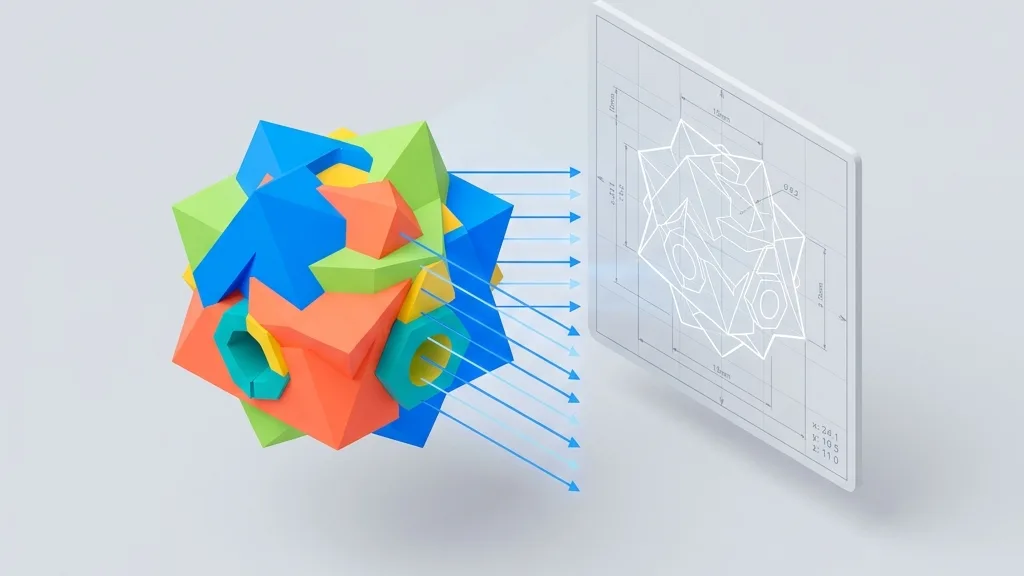
Render 3MF models to clean multi-view screenshots with dimension lines, units and watermark.

Loading...

Please wait

About This Tool

Upload a 3MF model and turn it into a polished screenshot. Pick a horizontal, vertical or custom view layout, toggle dimension lines, set a unit, and add a watermark. Export PNG, JPG or WebP at 1x, 2x or 4x. Everything runs locally in your browser.

Tips

  • 1Supports 3MF input
  • 2Horizontal, vertical and custom multi-view layouts
  • 3Dimension lines, units and watermark overlays
  • 4Export at 1x, 2x or 4x resolution

About Configuration Options

Layout

View Layout

DefaultHorizontal four-up

Choose multi-view arrangement: horizontal four-up, vertical four-up, or a custom set of views and columns.

Horizontal four-upRecommended

Front, right, top and perspective in one row (1×4).

Vertical four-up

Front, right, top and perspective in one column (4×1).

Custom

Pick views and column count for a custom grid.
Custom views

When using custom layout, choose which camera directions to include.

Columns

Default3

Range1 – 5

Number of columns in the custom grid (1–5, capped by selected view count).

Margin & spacing

Margin

Default0.012

Range0 – 0.1 · step 0.005

Outer margin around the board as a fraction of the short edge.

Gap

Default0.012

Range0 – 0.05 · step 0.002

Spacing between viewports as a fraction of the short edge.

Margin background

Default#ffffff

Fill color for the margin area; transparent is allowed (falls back to white for JPG).

Image background

Viewport background

Default#f5f5f5

Background for each 3D viewport; pick a color or transparent (alpha kept for PNG/WebP).

Dimensions & unit

Show Dimension Lines

DefaultOff

Display bounding box dimensions in the selected unit.

OffRecommended
On

Unit

Defaultmm

Unit

mmRecommended
cm
m
in

Watermark

Show Watermark

DefaultOn

Show Watermark

OnRecommended
Off

Title text

Defaultany3d.cc

Watermark title text (default any3d.cc).

Custom icon

PNG, JPG, WebP or SVG up to 5MB; auto-resized for watermark

Position

DefaultBottom-left

Corner placement of the watermark on the board.

Bottom-leftRecommended
Bottom-right
Top-left
Top-right

Size

Default0.08

Range0.04 – 0.3 · step 0.005

Watermark size as a fraction of the board short edge (~0.04–0.3).

Opacity

Default0.8

Range0.2 – 1 · step 0.05

Watermark opacity (0.2–1).

Export

Image Format

DefaultPNG

Image Format

PNGRecommended
JPG
WebP

Resolution Scale

Default1x

Resolution Scale

1xRecommended
2x
4x

Format Information

Input format

Extension:
3mf
Full Name:
3D Manufacturing Format
Type:
3D Model
Format:
3MF
Open With:
Windows 3D Viewer3MF Viewer OnlineBlender3D Model Viewer
Description:
3MF is a modern 3D print format supporting color, materials, and print properties in a compressed package. Ideal for multi-color and multi-material prints.

Notes:

  • Some older slicers and printers may not support 3MF
  • More complex than STL but carries richer information

Supported Features:

  • Per-part and per-vertex color support
  • Material and texture preservation
  • XML-based with ZIP compression
  • Native support in Bambu Studio, PrusaSlicer, OrcaSlicer

Output format

Extension:
Image
Full Name:
PNG / JPG / WebP Image
Type:
Image / Screenshot
Format:
Raster Image with Layout Overlay
Tools:
GIMP
Open With:
System Image Viewer
Description:
Multi-view or single-view screenshot of the 3D model with dimension lines, watermark, and custom backgrounds. Exported as PNG, JPG, or WebP.

Notes:

  • PNG supports transparency
  • Resolution can be scaled to 2x or 4x

Supported Features:

  • Multi-view layouts
  • Dimension lines with units
  • Watermark overlay
  • Transparent background
  • PNG, JPG, WebP export

How to Use

1

Upload Model

Drag and drop your 3MF file into the upload area, or click to browse

2

Pick a View

Choose horizontal, vertical or custom layout, and toggle dimension lines, unit and watermark

3

Export Image

Download PNG, JPG or WebP at 1x, 2x or 4x resolution

Frequently Asked Questions

About this tool

Q

What formats can I upload?

A

This page accepts 3MF models, with associated material and texture files when applicable.

Q

What view layouts are available?

A

Horizontal (front, right, top and perspective in a row), vertical (the same four views in a column), and custom (pick from top, bottom, left, right, front, back and perspective, with 1 to 5 columns).

Q

Are the screenshots scientific orthographic views?

A

Yes. The fixed direction viewports use orthographic cameras for clean technical views, with dimension lines drawn beside each orthographic viewport. The perspective viewport uses a perspective camera.

Q

Can I customize the dimension lines display?

A

Yes. You can show or hide the dimension lines in each orthographic viewport. The unit can be toggled between mm, cm, m and in.

Q

Can I export with a transparent background?

A

Yes. You can set the image background to transparent or any solid color. The margin area has its own background color setting, giving you full control over the final look.

Q

Does the tool detect model units automatically?

A

Yes. When your 3D model contains unit metadata (from 3MF, FBX, glTF or AMF), the tool automatically detects and applies the correct unit. You can also override the unit between mm, cm, m and in.

Q

Is my data safe?

A

All processing happens locally in your browser. Your files are never uploaded to any server and are cleared from memory when you close the page.

General questions

Q

Is Any3D completely free?

A

Yes, Any3D's core features are free to use forever. We provide format conversion, model optimization, and online preview at no cost, with no registration required.

Q

Are my files uploaded to your servers?

A

No. Files you select are processed only in your browser on this device—they never leave your device and are never sent to our servers. We don't store any user files; after processing, related data in browser memory is released.

Q

Do I need to install software?

A

No installation required. Any3D is entirely browser-based—just open the webpage to use all features. It works on Windows, Mac, Linux, and other major operating systems.

Q

Is there a file size limit?

A

The processing capacity depends on your device performance and the model's vertex count and texture complexity, rather than file size alone. We impose no file size limit, but when a model exceeds what your device can handle, the page may lag or even crash.

Support Us