
Auto-rotate
DefaultOff
Slowly rotate the model around the vertical axis after loading for a full view. Can be toggled anytime in the left panel.
On
Auto-rotate after loading
OffRecommended
Stay still, rotate manually only (default)
Open Open CASCADE .brep shapes in the browser and inspect exact solids without installing FreeCAD.
Please wait
BREP is the native boundary-representation file of the Open CASCADE kernel. FreeCAD's Part workbench and other Open CASCADE applications write .brep when a shape should stay exact topology instead of becoming a mesh or a STEP exchange file. This viewer tessellates those faces in your browser: closed solids draw as a shaded mesh, and curves that were not sewn into a shell draw as wires. Drag to rotate, scroll to zoom toward the cursor, and use the right or middle button to pan. Parsing runs in local WebAssembly.
DefaultOff
Slowly rotate the model around the vertical axis after loading for a full view. Can be toggled anytime in the left panel.
Auto-rotate after loading
Stay still, rotate manually only (default)
Number of animation clips stored in the file.
Number of skeleton bones used for rigging and skinning.
Drop a .brep file onto the page. Parsing runs in the browser.
A large shape draws a coarse mesh first. Wait for the finer tessellation to replace it before judging small edges.
Shaded bodies are closed shapes. Wires are curves that were not sewn into a shell.
Drag to rotate, scroll to zoom toward the cursor, and pan with the right or middle mouse button.
A .brep file is the shape container written by the Open CASCADE kernel. It stores boundary-representation topology, from vertices and edges through faces, shells, and solids, using exact curves and surfaces. FreeCAD's Part workbench writes this when you export a shape as BREP.
STEP is a neutral exchange standard meant to move models between CAD systems, and it can carry product and assembly structure. BREP is the kernel's own shape dump. Open CASCADE applications read it directly. SolidWorks and Fusion do not treat .brep as an import format. Keep BREP inside that toolchain, and export STEP when the file has to travel.
The file keeps exact surfaces. The viewer tessellates them into triangles so a browser can draw them. On a large shape a coarse mesh appears first, then a finer pass replaces it. Those triangles are only a display approximation. They are not stored in the .brep file.
Closed solids become a shaded mesh. Curves and wires that were not sewn into a closed shell stay as line geometry. An open shell, or a wire that never became a face, will not look like a solid body.
FreeCAD Part export, SALOME, and applications built on Open CASCADE write .brep. A BREP solid mentioned inside SolidWorks or Fusion is usually a solid inside a STEP file, not this extension. Check that the file name actually ends in .brep.
This viewer reads Open CASCADE text BREP, whose header contains CASCADE Topology, and the kernel's binary BREP. A truncated download, a STEP or mesh file renamed to .brep, or a shape from another kernel will not parse. Re-export the shape from FreeCAD as BREP and open that file.
No. This page only inspects the shape. It does not measure dimensions and it does not edit the topology. Open the same file in the model converter to export a mesh such as STL or GLB. That mesh is the tessellation used for display, not the exact surfaces stored in the file.

Your GLB file is only 10MB, but on your phone it eats 200MB of VRAM and crashes. Let's take a closer look at what's really going on.
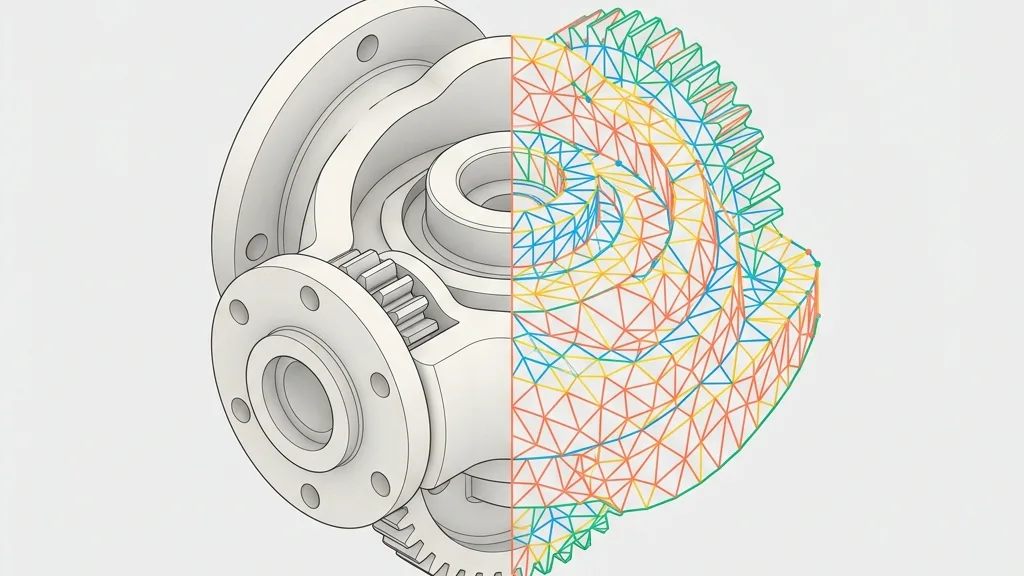
Demystifying conversion of CAD solids (B-Rep) into STL polygon meshes and back: practical slider settings for SolidWorks, plus fallbacks when reverse engineering fails.

Desktop, mobile, VR, mini-programs: which compression combination fits your 3D project? A decision matrix and an automation script do the choosing for you.

When WebGPU is unavailable in the browser, troubleshoot platform, drivers, VPN, and enterprise policies. Any3D preview relies on WebGL2, so WebGPU stays optional.